¶ Image Map
A widget to create interactive image-based visualizations with customizable placeholders.
¶ Overview
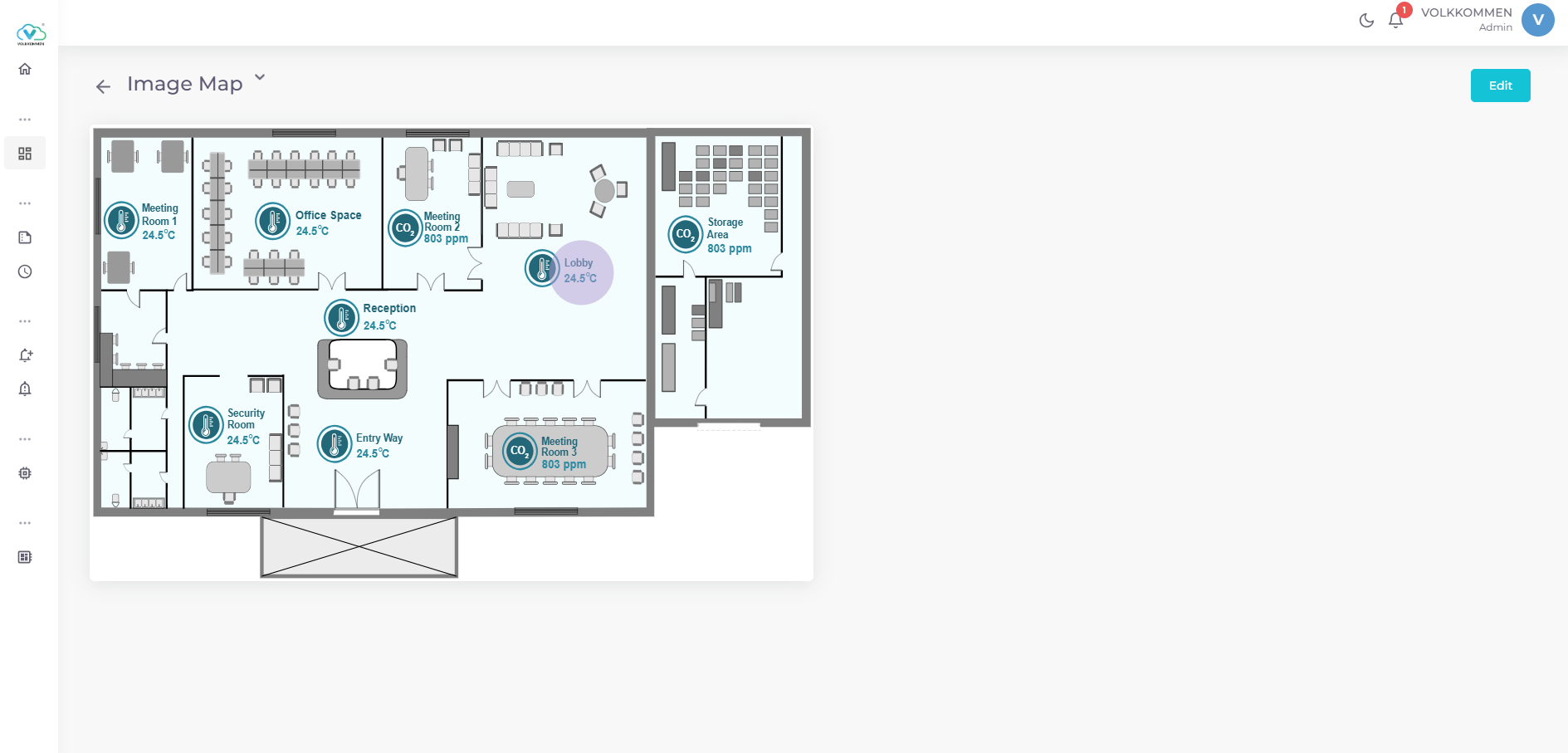
The Image Map Widget allows users to upload an image and overlay it with interactive placeholders that display real-time data from selected devices and parameters. It is ideal for visualizing data on facility layouts, equipment diagrams, or custom schematics.
Key Features:
- Upload a custom image (up to 500 KB) as the widget background.
- Add, position, and customize circular or rectangular placeholders to display real-time data.
- Drag-and-drop placeholders to adjust their positions.
- Customize placeholder size, shape, fill color, and text color.
- Display real-time parameter values with dynamic text sizing for readability.
¶ Data
Device and Parameter Selection:
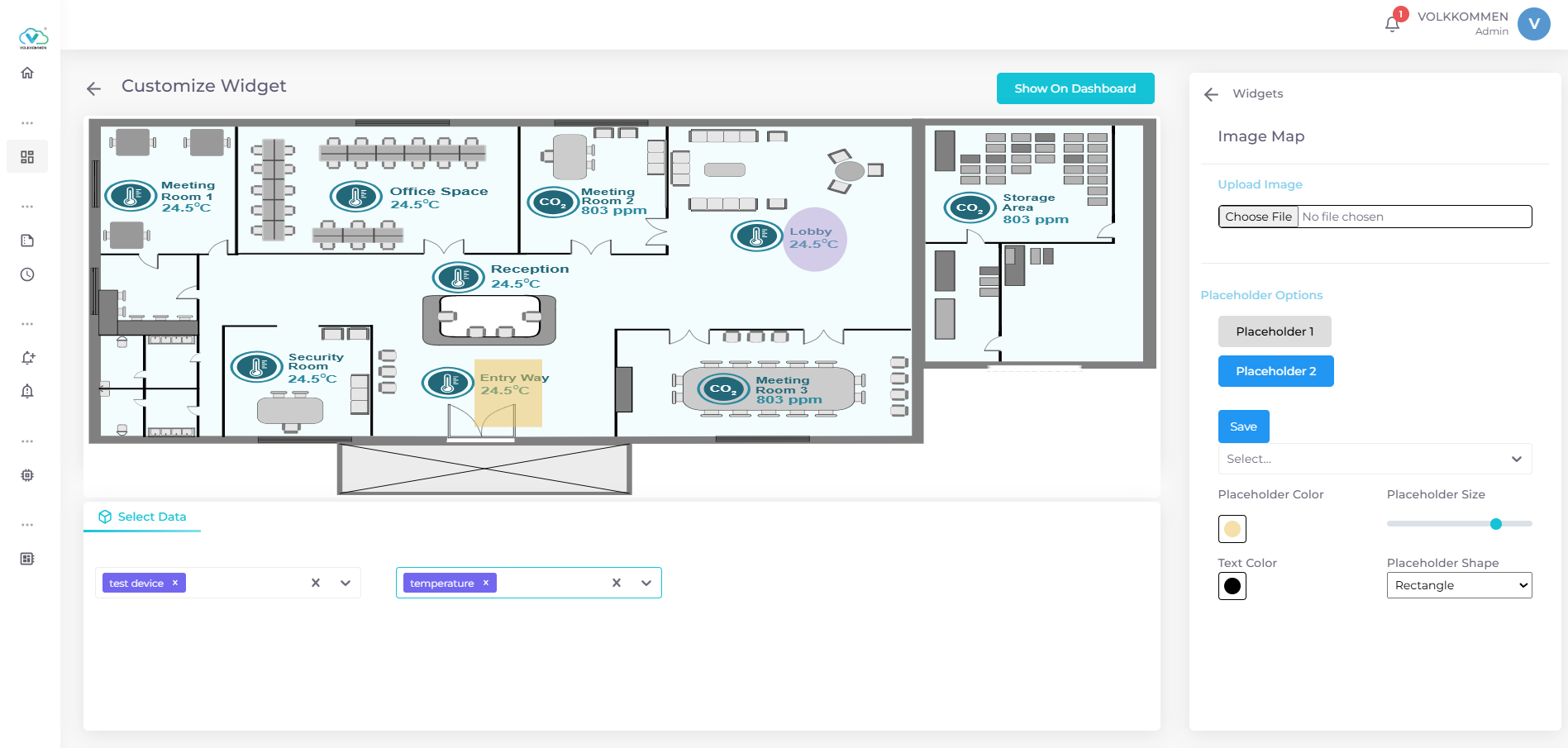
- Use dropdowns at the bottom of the configuration panel to select devices and parameters.
- Each placeholder links to a specific parameter, displaying its latest value.
- Data is fetched in real-time.
Data Display:
- Numeric values are shown to two decimal places.
- Text size adjusts dynamically based on placeholder size and value length.
¶ Configuration
Image Upload:
- Select an image (PNG, JPEG, etc.) using the "Upload Image" input.
- Image must be under 500 KB, or a warning will appear.
Placeholder Management:
- Add Placeholder: Click "Add Placeholder" and click on the image to place a new placeholder.
- Edit Placeholder: Click "Edit Placeholder," then click and drag a placeholder to reposition or modify its settings.
- Save: Click "Save" to confirm changes.
Placeholder Settings (available when a placeholder is selected):
- Parameter: Choose a parameter from the selected data using a dropdown.
- Size: Adjust placeholder size with a slider (10–50 pixels).
- Shape: Select "Circle" or "Rectangle" from a dropdown.
- Fill Color: Pick a color using a color picker.
- Text Color: Choose a color for the displayed value.
Finalizing:
- Click "Show on Dashboard" to display the widget.
- In edit mode, use "Edit" or "Delete" buttons in the top-right corner to modify or remove the widget.