¶ Scheduled Reports
¶ Overview
The Report Scheduler page allows users to schedule automated reports based on selected parameters. Users can add new reports, edit existing ones, and delete scheduled reports.
¶ Features
- View scheduled reports with details such as name, schedule, timezone, and status.
- Add a new scheduled report.
- Edit an existing report.
- Delete a scheduled report.
¶ UI Components
¶ 1. Scheduled Reports Table
This table displays the list of scheduled reports with the following columns:
- Name: The label of the scheduled report.
- Schedule: Frequency of the report (e.g., daily, monthly).
- Timezone: The timezone in which the report is scheduled (e.g., ASIA/KOLKATA).
- Status: The current status of the report (e.g., Scheduled).
- Action: Includes edit and delete buttons.
¶ 2. Add Button
- Clicking the Add button opens a modal form where users can enter details to create a new scheduled report.
¶ 3. Edit Button
- The Edit button in the action column opens the same modal form with pre-filled values for modifying an existing report.
¶ 4. Delete Button
- The Delete button allows users to remove a scheduled report from the list.
¶ Report Scheduler Form
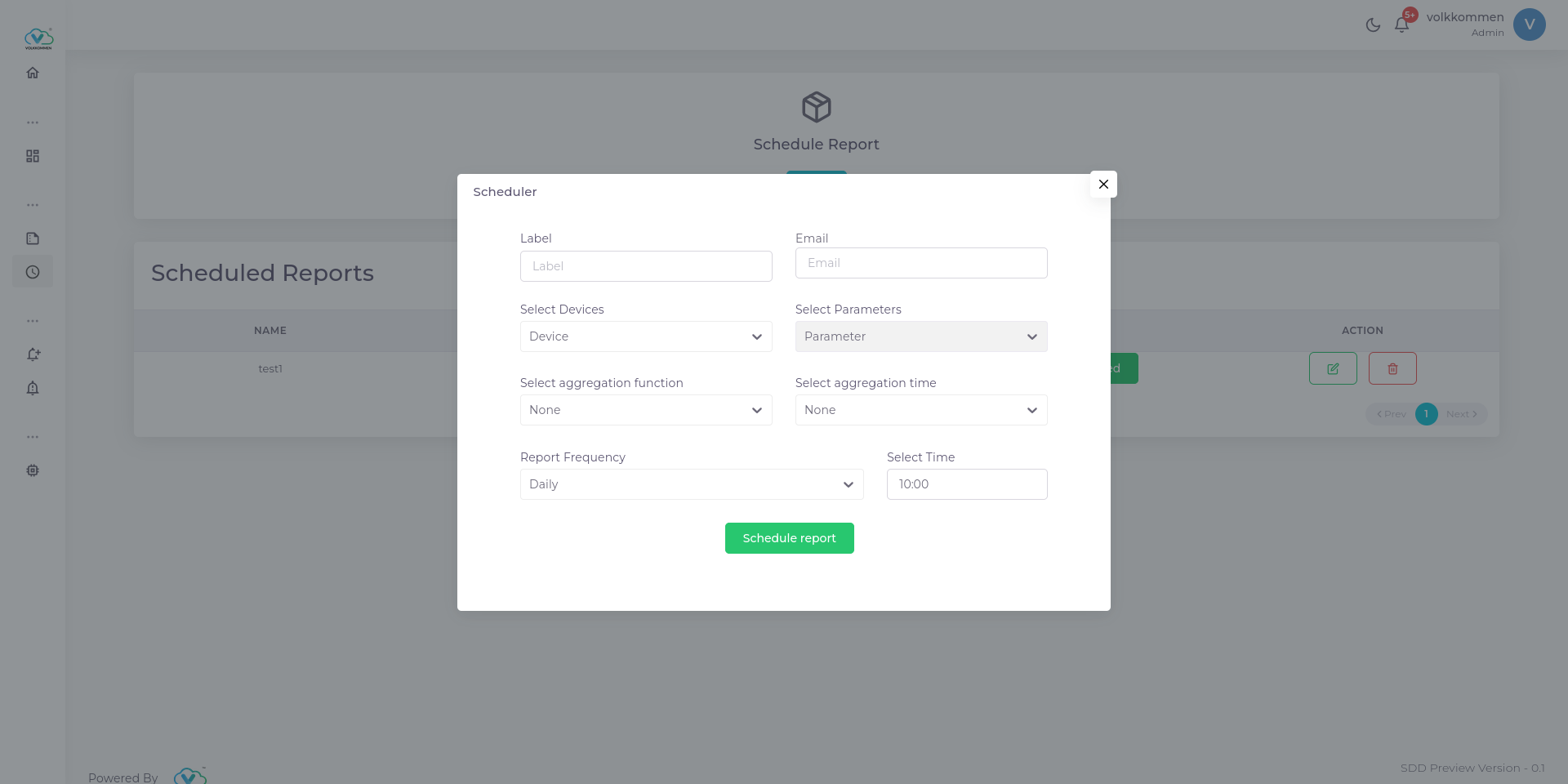
When adding or editing a report, the following fields are available in the modal:
- Label: The name of the scheduled report.
- Email: The email to which the report will be sent.
- Select Devices: Dropdown to choose devices for the report.
- Select Parameters: Dropdown to choose parameters to be included in the report.
- Select Aggregation Function: Dropdown to select aggregation method (e.g., None, Sum, Average).
- Select Aggregation Time: Dropdown to set aggregation time (e.g., None, Hourly, Daily).
- Report Frequency: Dropdown to choose report frequency (e.g., Daily, Weekly, Monthly).
- Select Time: Time picker to set the time for report generation.
- Schedule Report Button: Submits the form to schedule or update a report.
¶ Actions
- Adding a Report: Click on the Add button, fill in the form, and click Schedule Report.
- Editing a Report: Click the Edit button in the table, update the required fields, and submit.
- Deleting a Report: Click the Delete button and confirm the action to remove the report.
¶ Notes
- All fields must be correctly filled before scheduling a report.
- Editing a report will override the previous settings.
- Deleting a report is permanent and cannot be undone.
This documentation provides an overview of the functionalities available in the Report Scheduler page and how users can interact with the system effectively.