¶ Radial Bar
The bar widget for visualizing latest data.
¶ Overview
The Semi-Circular Radial Bar Widget is a compact and visually appealing way to represent the latest value of a single parameter, especially when it has a defined maximum value. Its half-circle design makes it ideal for dashboards where space is a priority.

¶ Data
-
Parameter Selection:
- Select one parameter to visualize.
-
Display:
- The widget shows the latest value of the selected parameter.
-
Setup:
- Choose the Radial Bar, then select one device and one parameter from the device and parameter selection panel at the bottom of the page.
¶ Configuration
Configure the Semi-Circular Radial Bar using the following options:
- Title Field (Mandatory) – Enter a title for the widget.
- Subtitle Field – Enter a subtitle for the widget.
- Maximum Value – Enter the maximum possible value for the selected parameter.
- Example: For relative humidity, enter 100.
- Convert to Percentage (Optional) – A checkbox is available to convert values into a percentage format.
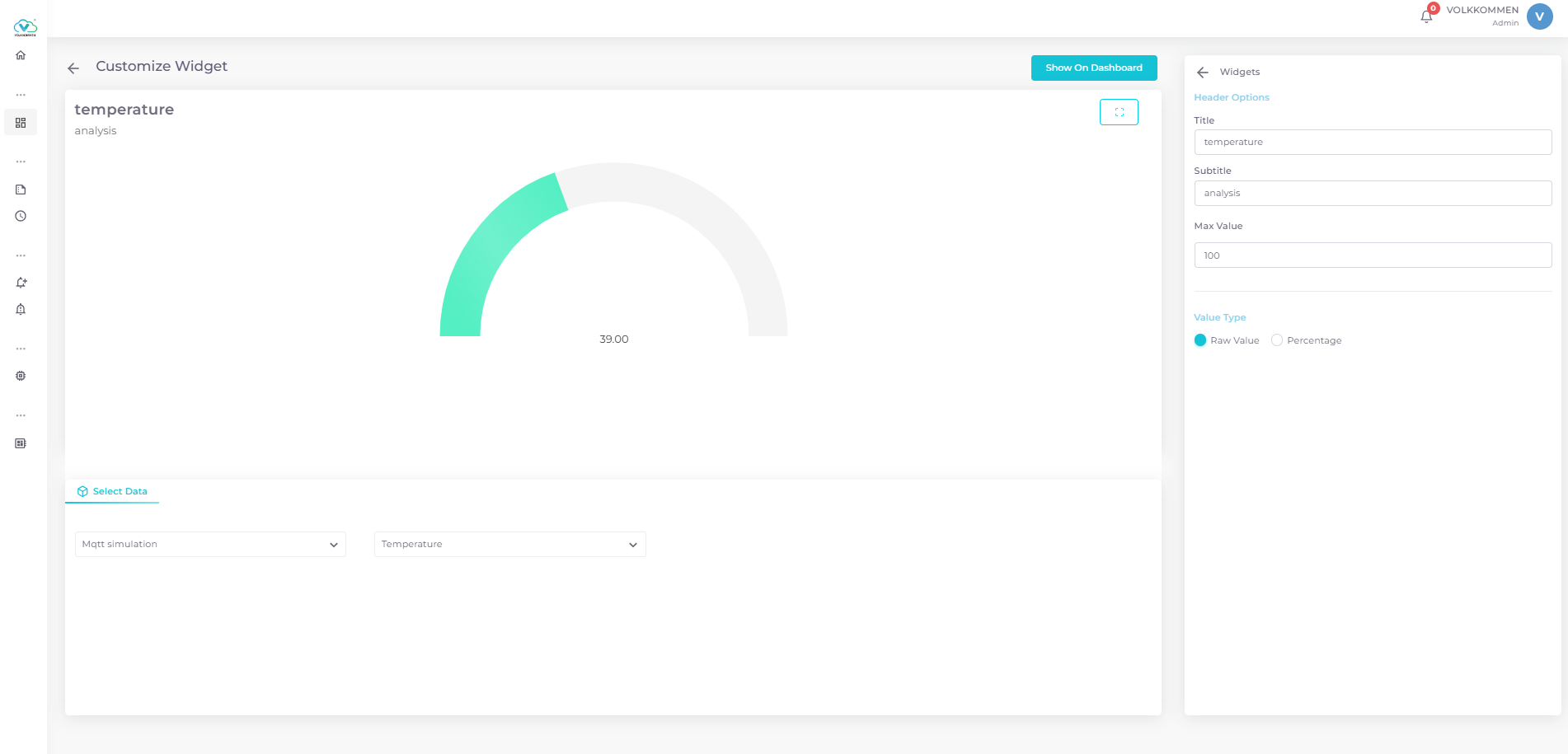
Once configured, click "Show on Dashboard", and the widget will appear on the dashboard. Don't forget to save it!