¶ Status Card
Lets discuss about how to show device status on dashboard.
¶ Overview
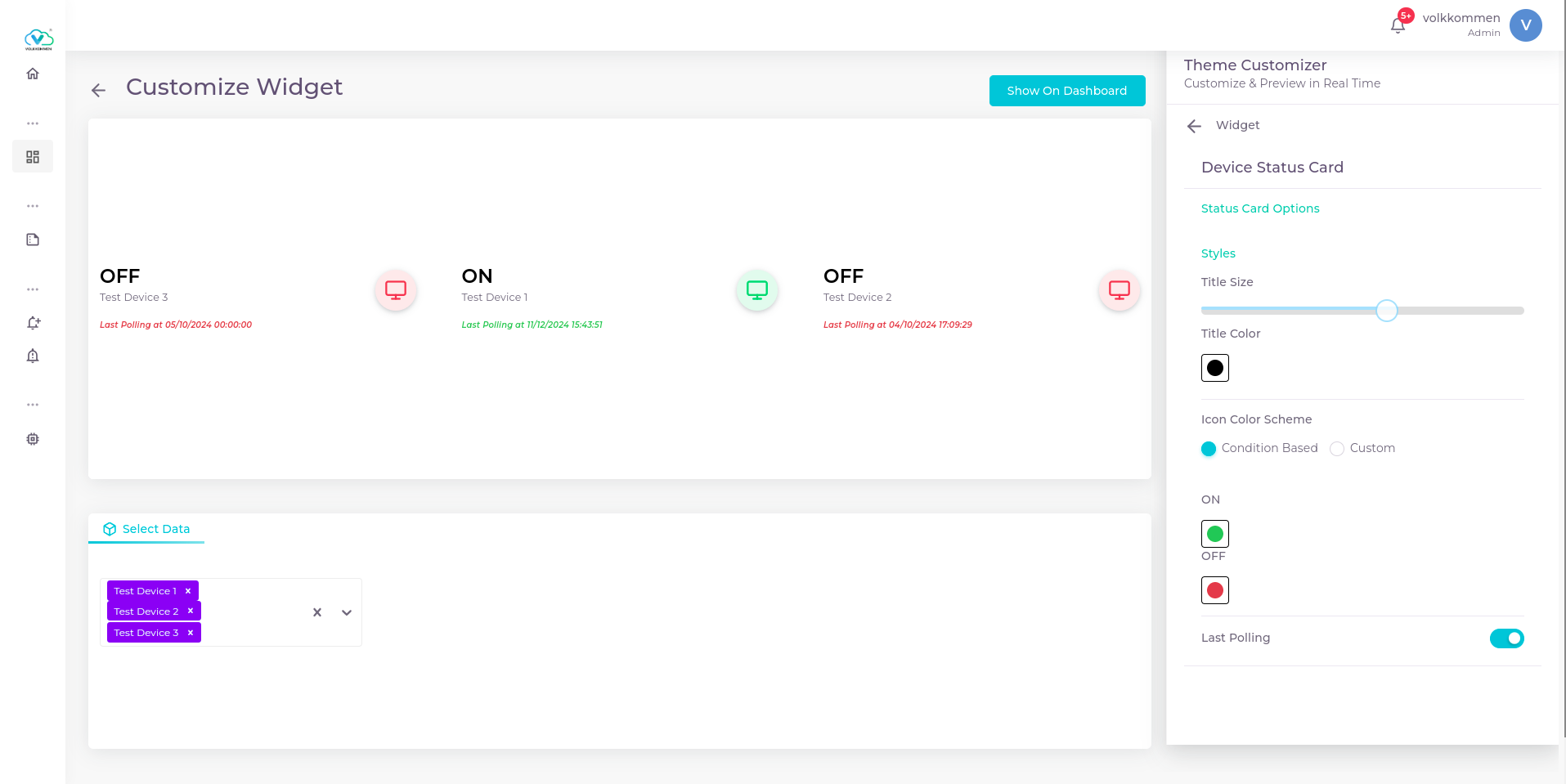
Status Card is a widget designed specifically to display the current status of a device. It allows you to visualize key metrics like:
- Device status (online or offline)
- Last polling time
- Other relevant status indicators for the device
This widget provides a real-time snapshot of the device's health and data communication, helping you quickly assess the system's state.
¶ Data
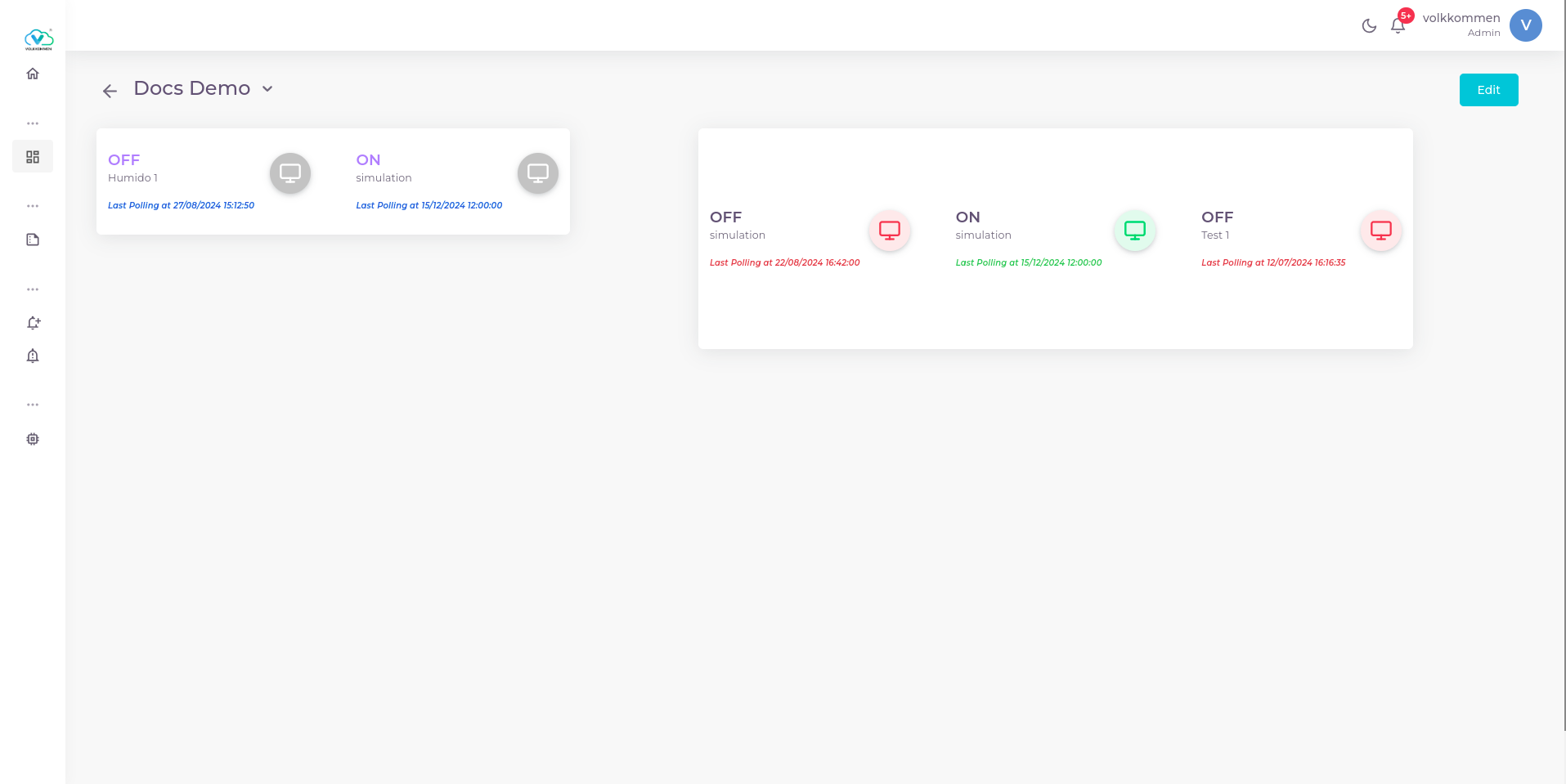
The selection at bottom of page lists every devices that you have created. You can select up to 4 devices in a single status card widget. Thus you can view the connection status of these selected 4 devices in a card and the last polling time also if necessary.
¶ Configuration
Status Card is a straightforward widget with simple configuration options:
-
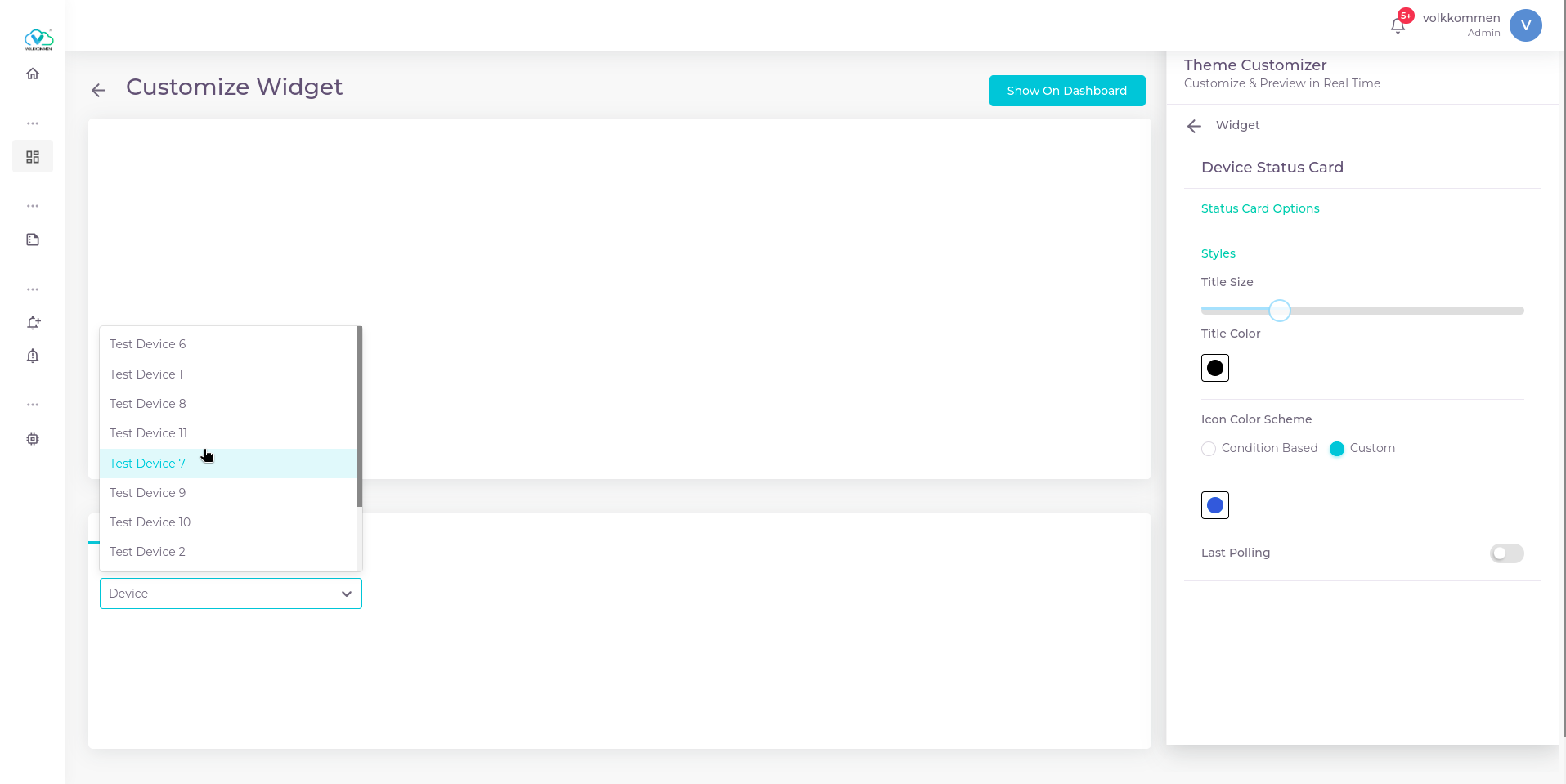
Device Selection: Choose up to 4 devices from the list to display their status.
-
Text Customization: You can adjust the size of the ON/OFF text using a slider and select the text color from the color picker next to it.
-
Device Icon Color: Each device is represented by an icon. You can customize the icon color using the "custom" color scheme or set it based on the threshold condition:
- Custom Scheme: Select a specific color for each device's icon.
- Condition-based Scheme: Choose one color for when the device is ON and another for when it's OFF.
-
Last Polling Time: There's an option to toggle the display of the last polling time for each device, providing more details about the device's recent communication.
This simple configuration ensures that the Status Card widget is highly customizable while still being easy to set up.